Works on ChatGPT, Claude, Gemini and Grok
Folders, search and export for your AI chats
TidyChats adds what ChatGPT, Claude, Gemini and Grok are missing, right inside the sites you already use. Find any old conversation in seconds and keep the rest tidy.
Free forever plan · No account needed · Set up in under a minute
Works with
- ChatGPT
- Claude
- Gemini
- Grok
Made for people who use AI every day
Each of these costs you minutes every day. TidyChats takes care of it.
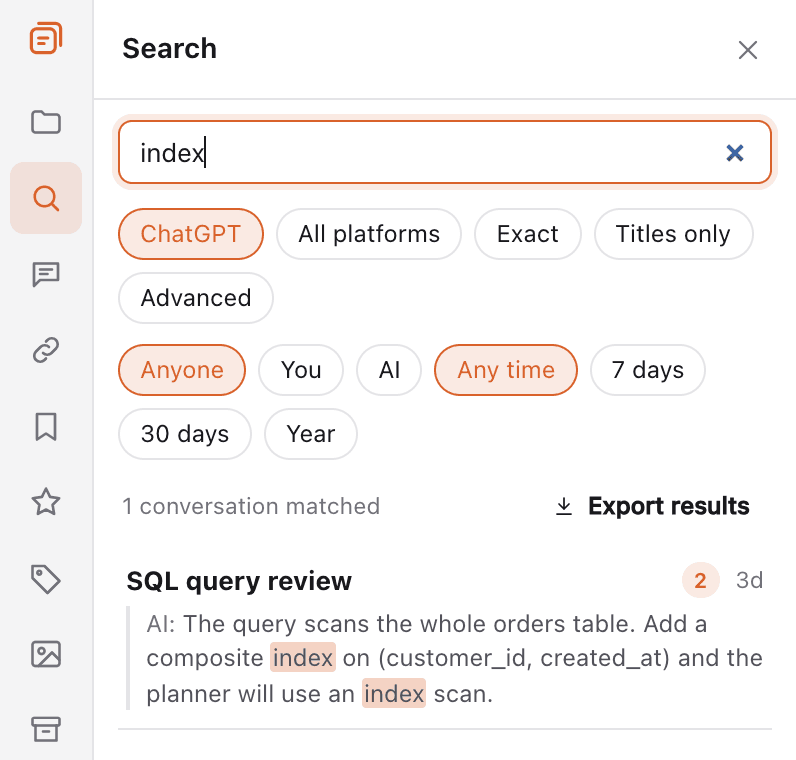
Was that conversation in ChatGPT or Claude?
Search every message you have ever sent, on every AI, from one box.
- Full-text search on every AI, and all four at once with Premium
- Filter by AI, by who said it and by date
- Click a result to jump straight to that message
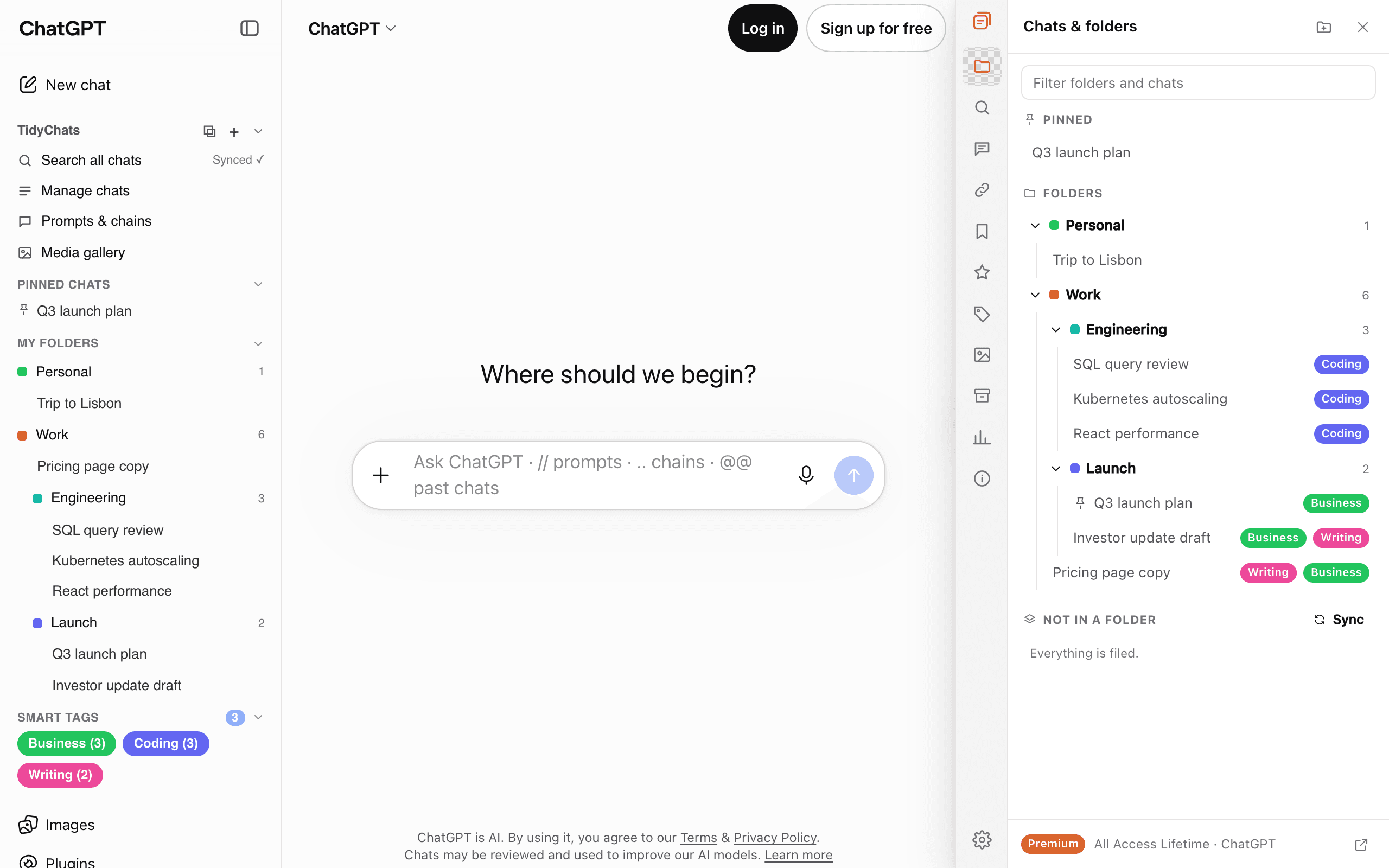
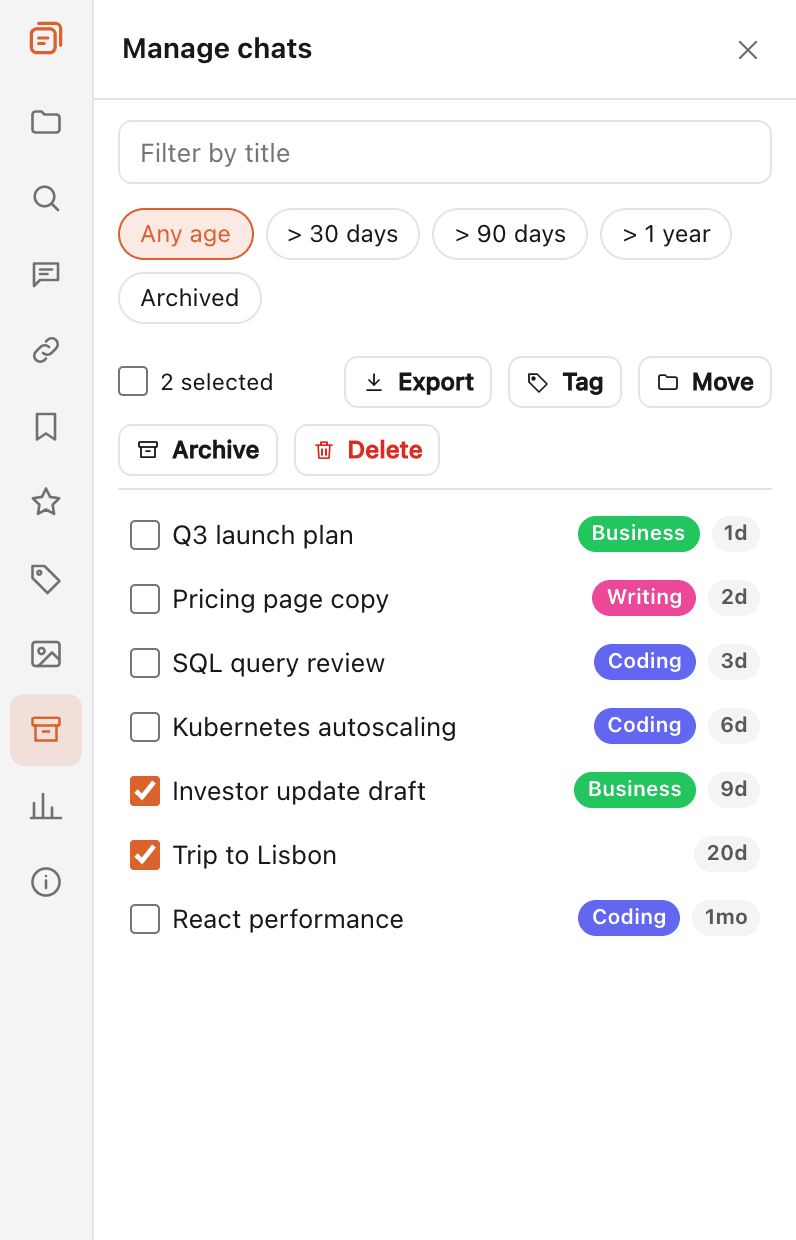
Hundreds of chats and no structure?
File chats into folders right in the sidebar, and clean up in bulk.
- Folders and subfolders with colors, plus pinned chats
- Smart tags sort chats by topic automatically
- Select many chats to move, archive, delete or export at once (Clean up, on ChatGPT and Claude)
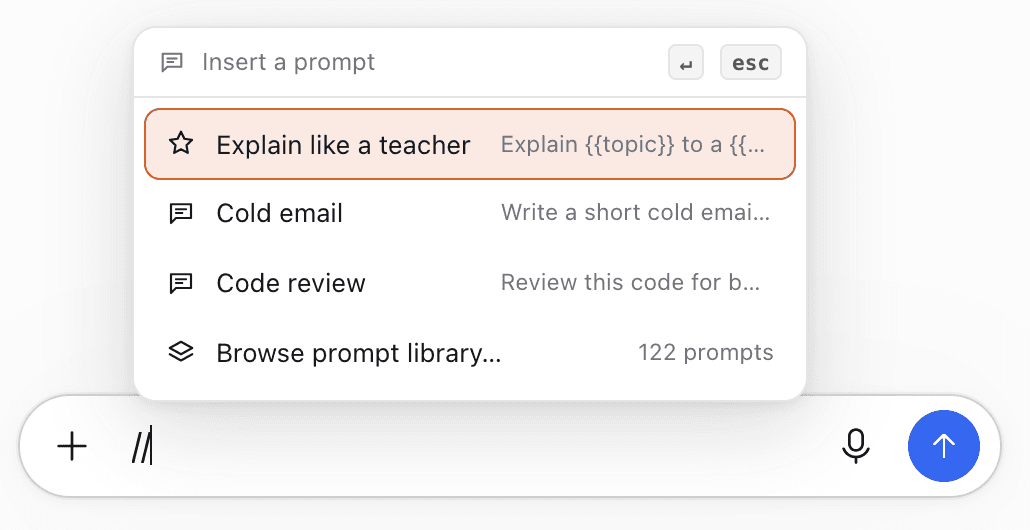
Typing the same prompt again and again?
Save your best prompts once and insert them anywhere with //.
- Prompts with fill-in fields like {{topic}}
- Chains that run several prompts in a row
- A library of 120+ ready-made prompts
Need a chat outside the AI?
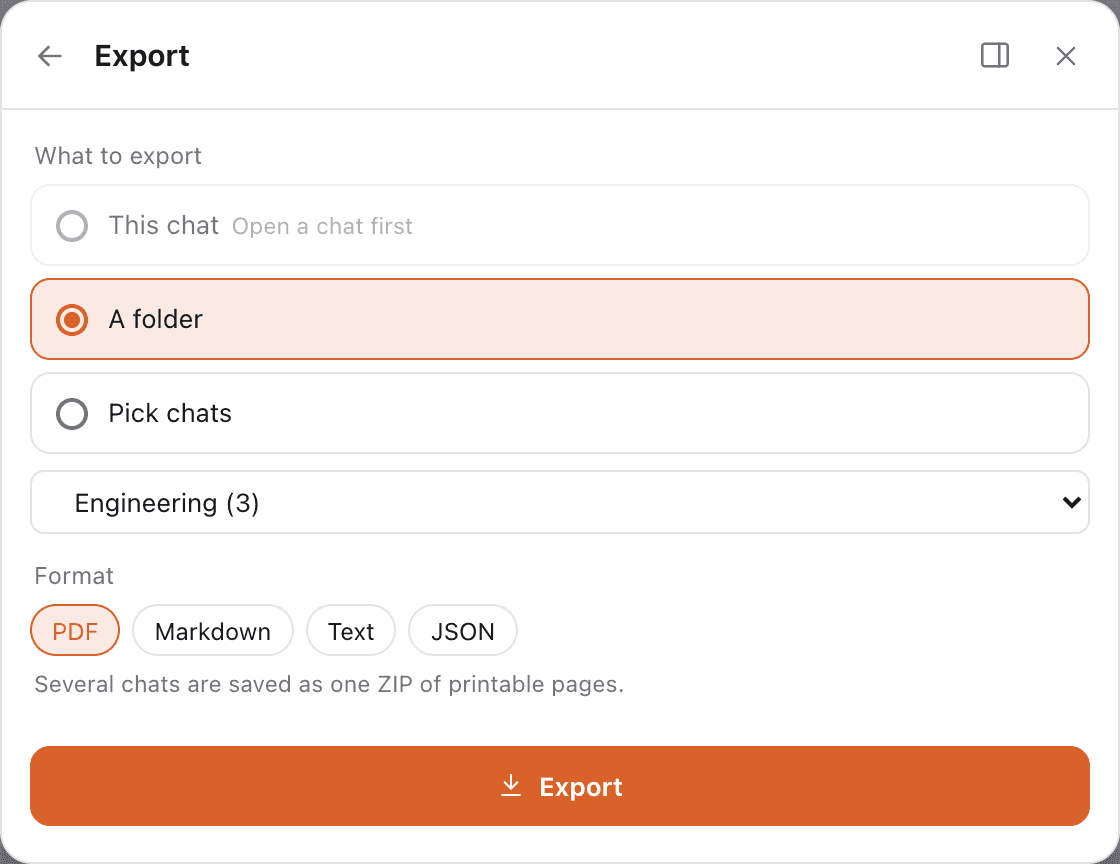
Export any chat as PDF, Word, Google Docs, Markdown, text or JSON in one click.
- Every single-chat export is free, in every format
- Markdown with frontmatter works well in note apps
- A whole folder or several chats as one ZIP with Premium
From install to organized in about a minute
- 1
Add TidyChats to Chrome
One click from the Chrome Web Store. No account needed to start.
- 2
Open the AI you already use
ChatGPT, Claude, Gemini or Grok. TidyChats appears in the sidebar, a short tour shows you around, and your chat list syncs in the background.
- 3
Find, file and reuse
Search everything, drag chats into folders, and type // for your prompts. That's it.
Everything in one extension
The same tools on all four AIs, plus a few that fit each one.
Folders & pinning
Organize conversations into nested folders and pin the important ones.
Full-text search
Instant full-text search across every conversation and message.
Prompt library
Save, categorize and insert reusable prompts with //.
Prompt chaining
Run multi-step prompt workflows with ..
Export anywhere
Export any chat as PDF, Word, Google Docs, Markdown, TXT or JSON.
Message bookmarks
Bookmark key messages and jump straight back to them.
Smart tags
Auto-tag conversations with custom rules.
@@ context mentions
Pull past conversations into context with @@.
Media gallery
Every generated image in one browsable gallery.
Bulk delete & archive
Select many conversations and act on them at once.
Command palette
Do anything from Cmd/Ctrl+K.
Usage tracker & Wrapped
See your usage and get a yearly Wrapped.
Outline for long chats
A rail of your prompts next to the chat. Hover to preview, click to jump.
Find in this chat
Cmd/Ctrl+F searches the whole chat, also older messages not loaded yet.
Message times
See when each message was sent, with a line when the day changes.
Claude usage tracker
Your Claude session and weekly limits, with the reset countdown.
Start free. Upgrade when it saves you time.
Every paid plan has a 14-day money-back guarantee.
Free
- Unlimited folders, search, export and bulk delete
- Unlimited prompts, pins and bookmarks
- All four AIs, no account needed
Premium
- One price for ChatGPT, Claude, Gemini and Grok
- Search across all four AIs, sync, AI summaries
- Or $49 a year
Premium Lifetime
- Everything in Premium
- Pay once, keep it forever
- Best value
Teams from $12 per seat a month. Compare all plans
Your chats stay yours
TidyChats is built to keep your conversations on your own computer.
Stored in your browser
Your conversations and the search index live on your device, not on our servers.
Sync only if you want it
With Premium, sign in to sync folders, prompts and bookmarks across browsers. Synced data is encrypted at rest on our server.
No ads, no selling data
We make money from subscriptions only. Optional AI summaries (Premium) send just the chat you choose. Anonymous usage counts help us improve and can be turned off.
TidyChats is a Chrome extension that adds folders, pinning, full-text search, a prompt library, prompt chaining, exports, message bookmarks, smart tags, a media gallery, bulk actions, a command palette, an outline and find for long chats, message times and usage analytics to ChatGPT, Claude, Gemini and Grok.
Never lose a good AI conversation again
Free on ChatGPT, Claude, Gemini and Grok. Set up in under a minute.